


My Shopping List - to do list
4.126.00 Reviews
App Specs
- Version
- 4.7
- Updated On
- License
- Free
- Downloads
- 100,000+
- Developer
- Wallet Passes Alliance
- Categories
- Shopping
- Platform
- Android
Screenshots
 Analysis by AppCompare
I usually notice the need for a shopping list at the least convenient moment: halfway through cooking, while unpacking groceries, or just before heading out. My Shopping List - to do list is built for turning those small reminders into a list I can take to the store. It keeps the focus on shopping rather than trying to become a general-purpose planner, which makes it approachable when all I want is to remember what to buy and get on with my day.
From a forgotten item to a usable list
My most useful habit with a list app is adding an item as soon as I think of it, not waiting until I’m ready to leave. Here, I can start a list and add things as they come to mind. Suggestions based on what I begin typing help with repeat purchases, so I don’t have to enter the same familiar items from scratch every time. I find that particularly handy for household staples: I can capture the thought quickly and return to whatever I was doing.
A practical trick is to add the detail that will matter at the shop, rather than trusting myself to remember it later. The app lets me attach notes to items, which gives me a place to record a preferred brand or quantity. That small step helps avoid the classic problem of getting home with the right kind of item but the wrong size or amount. For a more specific errand, I can make the list useful to the person who will actually do the shopping, rather than leaving them to guess what I meant.
First Impressions and Setup
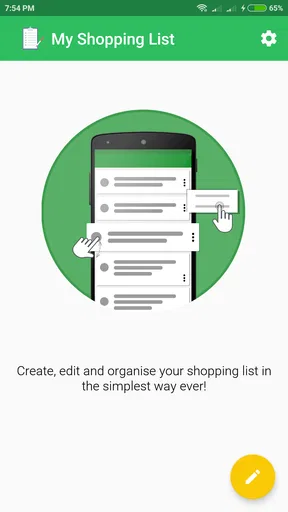
Diving into the app for the first time, I was greeted with a clean, user-friendly interface. Setting up My Shopping List - to do list is a breeze. Within minutes, I had my first list ready to go. The app's simplicity is one of its strongest points. It doesn’t bombard you with unnecessary features or clutter. Instead, it focuses on doing one thing really well—making sure you never forget an item again.
Getting to Know the Features
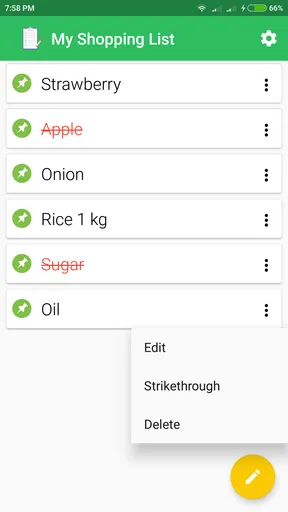
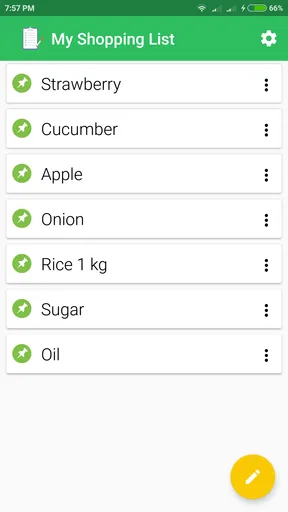
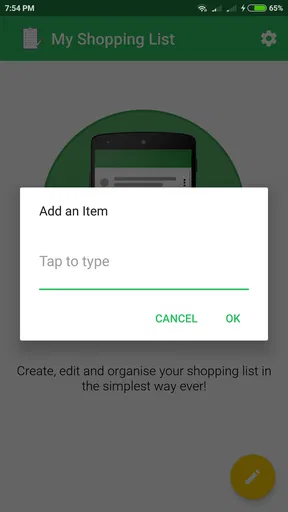
One of the first things I noticed was how intuitive the list creation process is. You simply tap to add items, and the app offers suggestions based on what you start typing. This feature is a real time-saver, especially if you’re like me and tend to buy the same items repeatedly.
The app allows you to organize your items by category, which is incredibly handy when you're navigating through a busy grocery store. No more zig-zagging across aisles! Plus, you can add notes to each item. So if you need a specific brand or quantity, you’ve got it all laid out right there.
A realistic store run, from aisle to checkout
Imagine I’m stopping at the supermarket after work with only a short window before dinner. I can check the list before leaving, keep it open while I shop, and use the categories as a rough guide through the store. I’d add a note for anything that needs a particular size or variety, then check items off as I put them in the basket. The benefit isn’t just avoiding forgotten groceries; it’s reducing the number of decisions I have to make when I’m tired and moving quickly.
Worth Reading Before You Choose

EA SPORTS FC Mobile 26 Is a Bigger Football Game, but It Takes Time

Flipboard Shows What News Apps Must Do Beyond the Feed

Switching to Android Auto Means Rethinking Your Driving Routine

Google Calendar Makes a Crowded Week Easier to Manage

Ludo King Makes the Most of the Minutes Between Plans

Baby Panda World Brings Quick Play to Modern Phones, but Its Game Library Feels Busy
There is a trade-off: categories can help me scan a list, but they are not the same as a custom map of a particular shop. If I have a very long list or shop at several different stores, I still need to use judgment about the route. I would group the essentials and time-sensitive items clearly in my own mind, rather than expect the app to plan the trip for me. Its value is in keeping the items visible and organized, not in replacing the shopper’s knowledge of the store.
Sharing and Collaboration
Another feature I found super useful is the sharing option. You can easily share your list with family or friends, making it perfect for coordinating group events or family gatherings. Everyone can add or check off items in real time. It’s like having a communal chalkboard that everyone can access, no matter where they are.
Making a shared list work for more than one shopper
Sharing is most helpful when the group agrees on how to use the list. I’d put the item and its useful details in one entry, instead of having one person write “coffee” and another add a second, vague version. Notes can carry the brand or quantity preference, while the shared list gives everyone a common place to see what is still needed. That is a simple but worthwhile handoff when one person notices supplies are low and another is already near the shop.
For a family gathering, I can see the list working as a practical division of labor: one person adds food, another adds drinks, and whoever shops can check items off as they go. The limitation is that collaboration still depends on people keeping the list tidy and checking it before buying. A shared list reduces messages and memory gaps; it cannot resolve an unclear request or stop two people from acting on stale information if they do not coordinate.
Reminders and Notifications
Now let’s talk about one of my favorite features—the reminders. You can set notifications for specific items or the entire list, ensuring you’re always on top of your game. This feature has saved me more than a few last-minute dashes to the store because I forgot the milk, again!
Using reminders without creating more noise
I’d reserve reminders for items tied to a particular errand or timing, rather than turning every routine purchase into another alert. That keeps a notification meaningful: it can prompt me to pick something up when I’m already going past a shop, while the rest of the list can wait until the next planned trip. If I set reminders for everything, they risk becoming background noise, so a light touch is more useful than constant nudging.
People often ask whether this can replace a general to-do app. I would not treat it as a full task manager. Its shopping-centered list, categories, item notes, and reminders make more sense for errands than for tracking work projects or appointments. If I need calendars, deadlines, or a broad set of task-management tools, I’d choose an app designed around those jobs and keep this one for purchases.
Offline Access
One thing I really appreciate about My Shopping List - to do list is its offline functionality. Even without an internet connection, you can still access and edit your lists. This is a lifesaver for those of us who occasionally wander into Wi-Fi dead zones within the store.
When the connection disappears
Offline access is useful in a very ordinary way: I can still consult the list in a shop with poor reception and make edits while I’m there. That makes the phone a more dependable replacement for a paper note, since I’m not relying on a connection just to check what I came to buy. I would still open the list before setting off, especially if another person is sharing it, so the shopping plan is clear at the point I need it.
That last point also answers a common practical concern: what if I want to use the app in a store with patchy signal? I can still access and edit lists offline. For shared shopping, though, I’d treat the list as something to check before the handoff and would not assume that an offline change instantly reaches someone else. The offline strength is personal access; the smoothness of collaboration depends on staying coordinated.
Customization and choosing the right tool
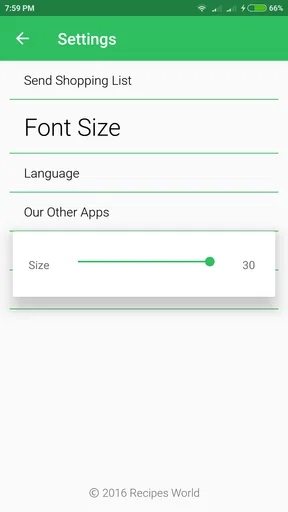
While the app is straightforward, it also offers a decent level of customization. You can choose different themes to match your style or mood, and adjust settings to make the app work best for you. This small touch of personalization makes the app feel more like a tool crafted specifically for your needs.
That combination of a focused list, item categories, notes, reminders, and sharing gives it a clear place among shopping-list alternatives. A paper list is quicker to scribble on and needs no setup, but it cannot offer the same typing suggestions or shared access. A general notes app can hold a grocery list, yet it may leave you sorting and maintaining the entries yourself. I’d choose this app when I want shopping details to stay organized; I’d stick with paper for a rare, very short errand or use a broader planner when shopping is only one part of a complicated schedule.
Who I’d recommend it to
The app makes the most sense for people who shop regularly, repeat many of the same purchases, or share errands with someone at home. It can also suit a solo shopper who wants one place to collect ideas during the week and check them off in the store. I would be less likely to recommend it to someone who wants automatic meal planning, a store-specific route, or a complete household inventory; I wouldn’t choose a simple shopping list as a substitute for tools built around those needs.
Before relying on any shopping app, I’d also think about the handoff between adding an item and using it. Keep entries specific, add quantities or preferences in the notes, and check the list before leaving. Those habits make suggestions and categories more useful without requiring a complicated routine. If the list is for someone else, write it so they can shop without needing to call for clarification.
What the app is and what it costs
My Shopping List - to do list is a free shopping app from Wallet Passes Alliance. It has an average rating of 4.1 from around 476 ratings, and more than 100,000 installs. The app is rated for Everyone, and its current version is 4.7, with Android 5.0 as the minimum operating system. Optional in-app purchases range from $0.99 to $99.99 per item, so I’d check the purchase details in the app before buying anything; the basic app is free.
Final Thoughts
In conclusion, My Shopping List - to do list is a fantastic tool for anyone looking to streamline their shopping experience. It’s simple, effective, and packed with features that genuinely make life easier. Whether you’re a solo shopper or part of a bustling family, this app can help reduce the chaos and ensure that you always return from the store with everything you need. So, if you’re tired of forgetting your shopping essentials, give this app a try. It might just become your new best friend.
Pros
- User-friendly interface
- easy navigation.
- Customizable categories for organization.
- Syncs across devices seamlessly.
- Voice input for quick list creation.
- Offline access to lists available.
Cons
- Ads can be intrusive at times.
- Limited features in free version.
- No dark mode for night use.
- Occasional sync delays.
- Lacks collaboration features.
FAQs for My Shopping List - to do list
What features does My Shopping List offer?
My Shopping List provides a user-friendly interface for creating and managing shopping lists. It includes features like categorizing items, setting priorities, and sharing lists with others. The app also offers reminders and the ability to sync across multiple devices, making it a versatile tool for organizing shopping tasks efficiently.
Is My Shopping List available for both Android and iOS?
Yes, My Shopping List is available for both Android and iOS platforms. Users can download the app from the Google Play Store for Android devices and the Apple App Store for iOS devices. This ensures that a wide range of users can benefit from its features regardless of their preferred operating system.
Does the app require an internet connection to function?
My Shopping List can be used offline, allowing users to create and manage lists without an active internet connection. However, to sync data across devices or share lists with others, an internet connection is required. This flexibility is ideal for users who may not always have consistent internet access.
Are there any additional costs for premium features?
My Shopping List offers a free version with basic features. To unlock advanced functionalities such as ad-free usage, enhanced collaboration tools, or custom themes, users may opt for a premium subscription. The cost of the premium version varies, and details can be found within the app's settings or the respective app store.
How secure is my data within the app?
The app prioritizes user privacy and data security. It employs encryption to protect user data and offers options to back up lists securely. Users are encouraged to review the app's privacy policy for detailed information on data handling and to ensure their shopping lists are kept confidential.


